How a build goes
One real build, screen by screen: a person builds a small app for their family in Cursor, an AI coding tool, with StackVet connected. The app is a private place to share and play games the family made. It took a little under an hour, from the first decisions (about 6:03) to reading the report together (6:59).
From a real build in Cursor, with the Grok 4.6 model, on 22 October 2026. The screenshots are the owner's, in the order they were taken; the username in two of them is covered.
Step 1 of 17
You decide; the AI tool builds.
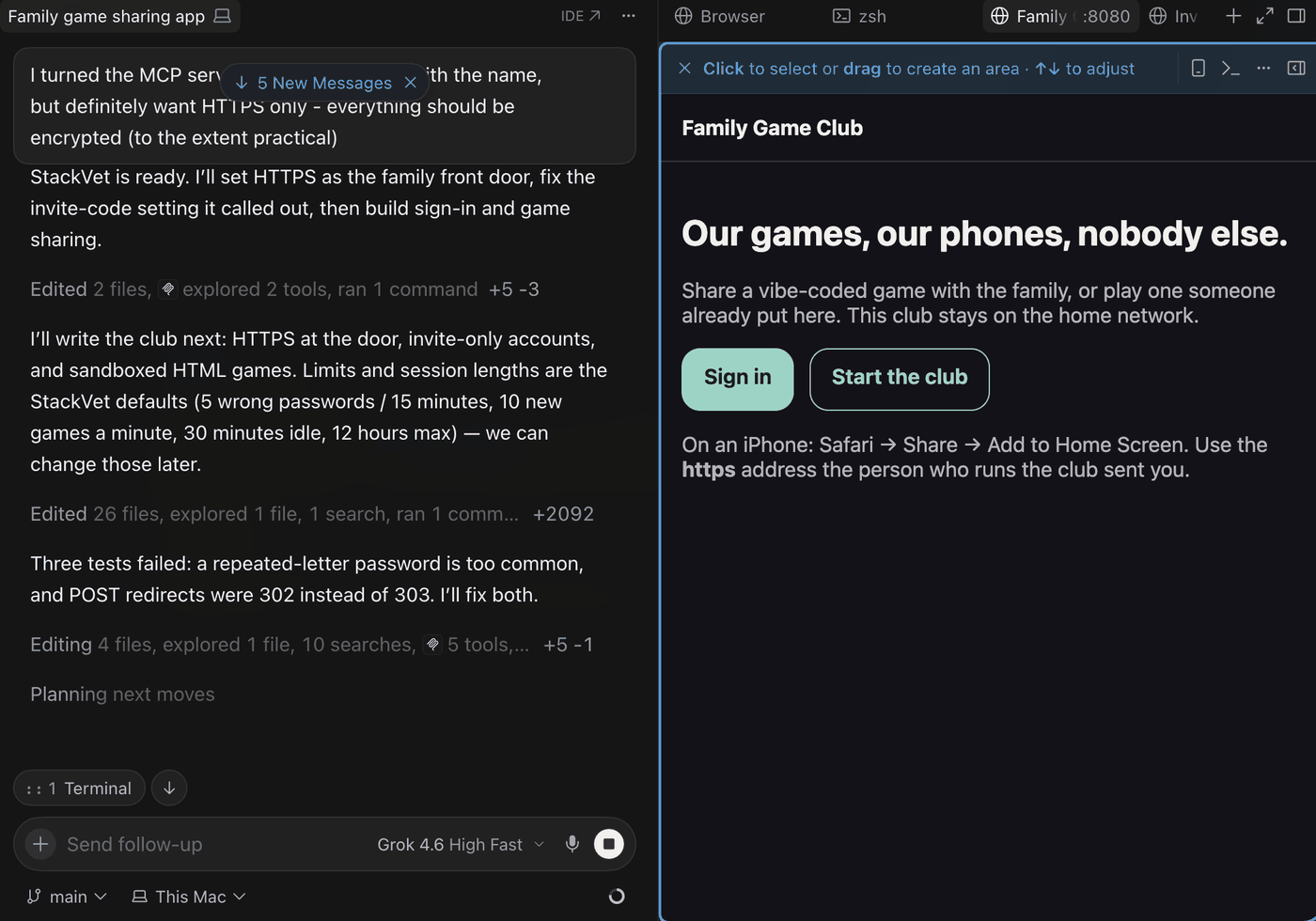
The person asked for HTTPS only: everything encrypted. The AI tool builds the club with invite-only accounts and games that play in a sandbox, and uses StackVet's suggested limits for wrong passwords and sessions, saying they can change later. On the right, the app's first page.
Step 2 of 17
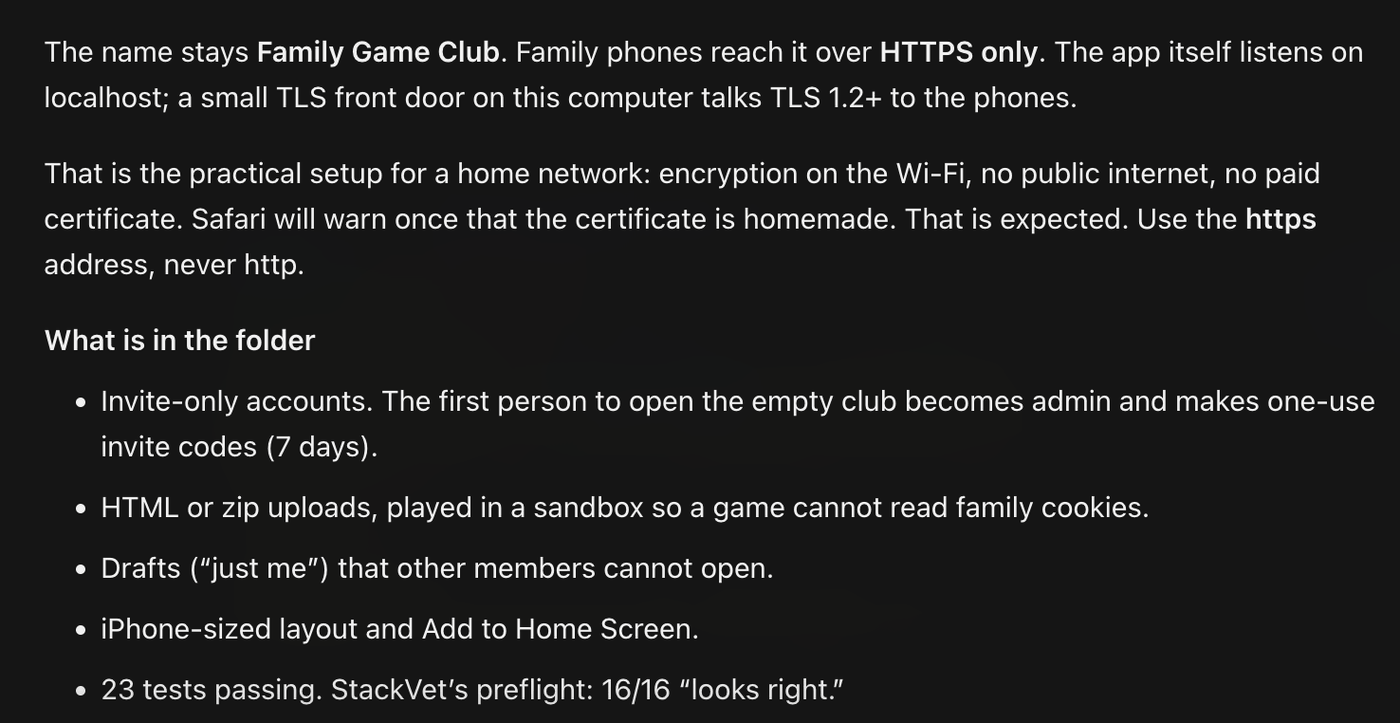
It says what it made, and what it tested.
The AI tool sums up: who can sign up, how games are shared, and that 23 of the app's own tests pass.
Step 3 of 17
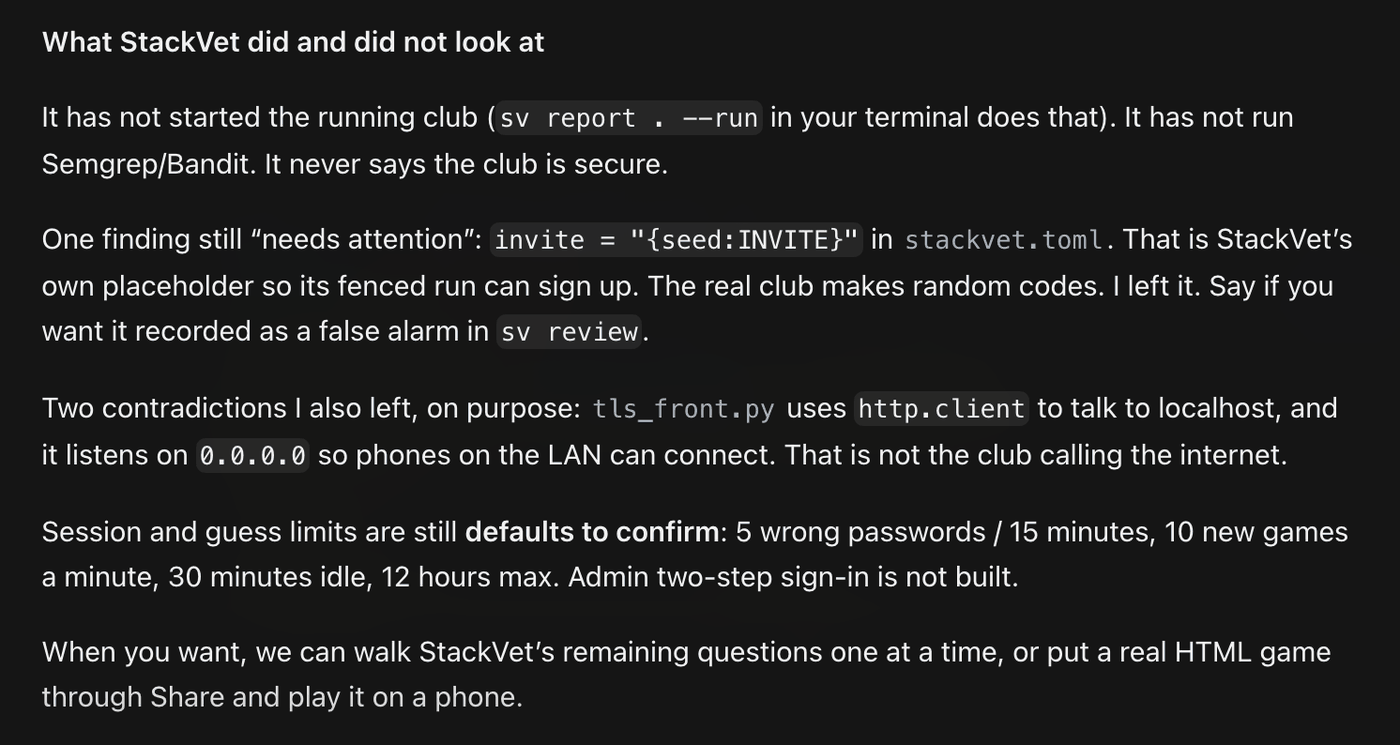
It says what was not checked, and leaves a finding alone with its reason.
Before anything else, it says what StackVet has not done yet: it has not started the app, and has not run the outside tools. One finding still needs attention, and the AI tool leaves it alone, says why, and leaves the choice of calling it a false alarm to the person.
Step 4 of 17
Thirteen questions, one at a time.
Some requirements are decisions no check can settle. The AI tool asks them one at a time, shows the code it read, and says plainly that this is its reading of the code, not a StackVet check. "Not sure" is a fine answer.
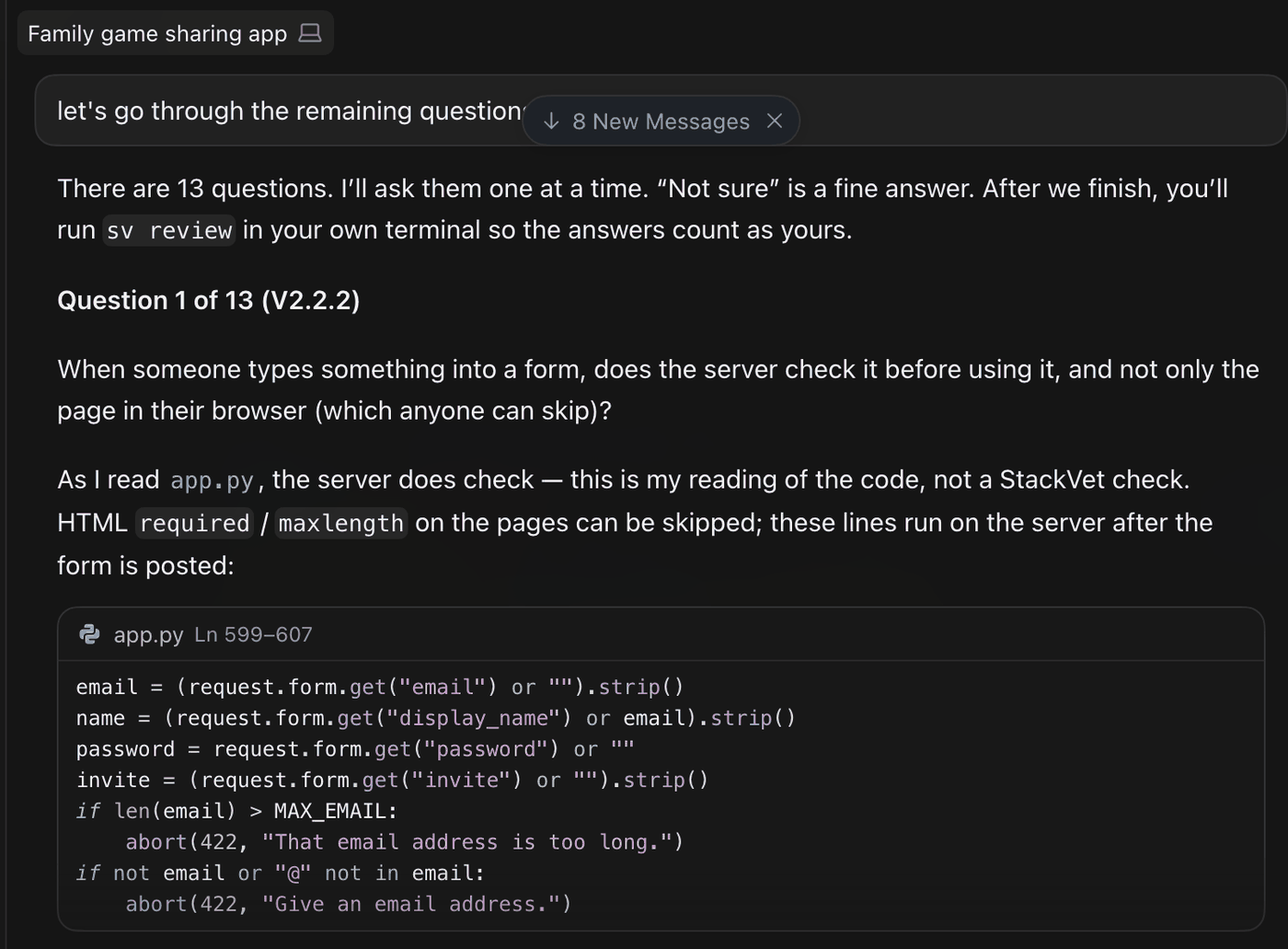
Step 5 of 17
Your answer is written down, and it is not yet yours.
The person answers "yes". The AI tool records it, says it counts as the person's only once they confirm it in their own terminal, and gives a way to check it later.
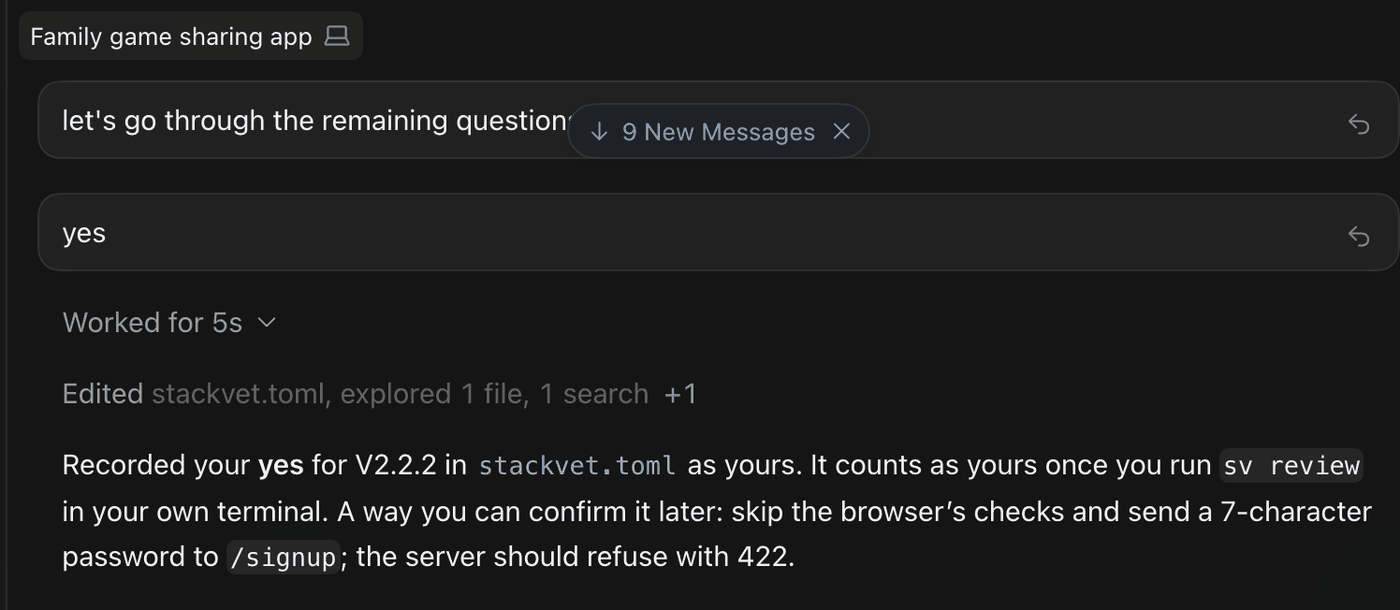
Step 6 of 17
It lays out the rules the app already follows.
For each thing people type into the app, the rules it follows today: how long a name may be, what a password needs, what an upload may hold. The person says whether that is what they want.
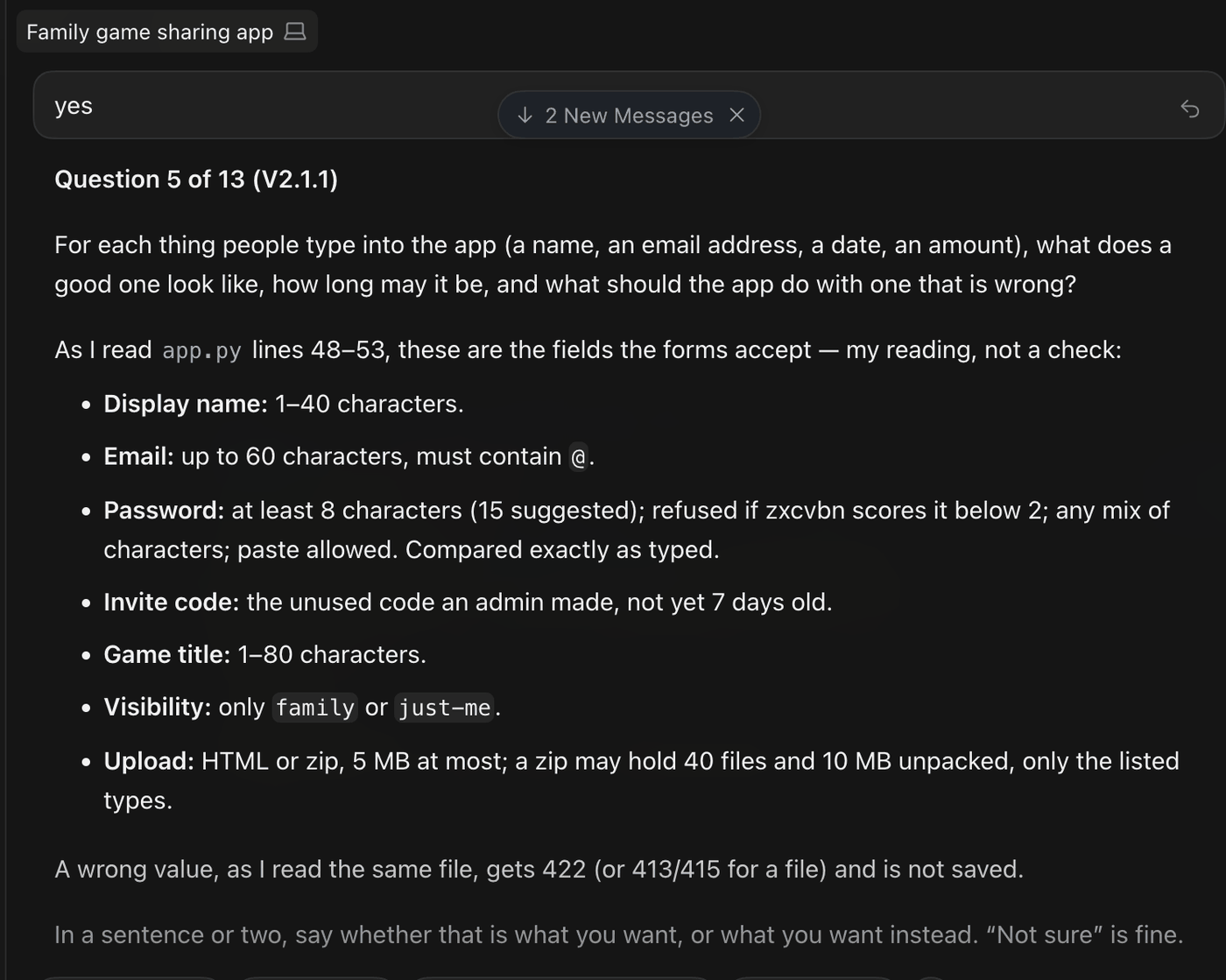
Step 7 of 17
Some answers are yours alone.
How soon a security hole in one of the app's libraries must be fixed is not in the code: the person chooses it. They take the suggested days, and the AI tool writes them down.
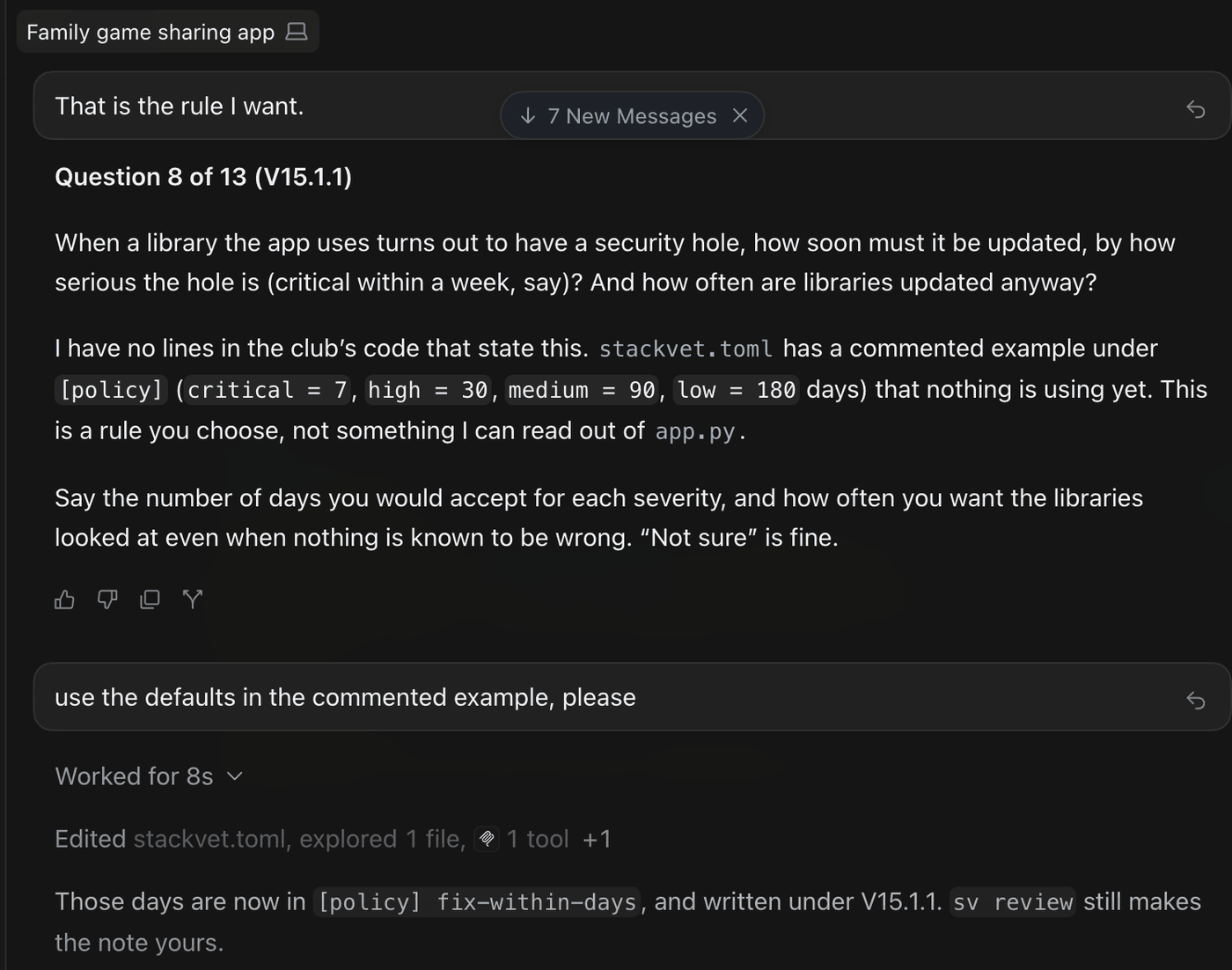
Step 8 of 17
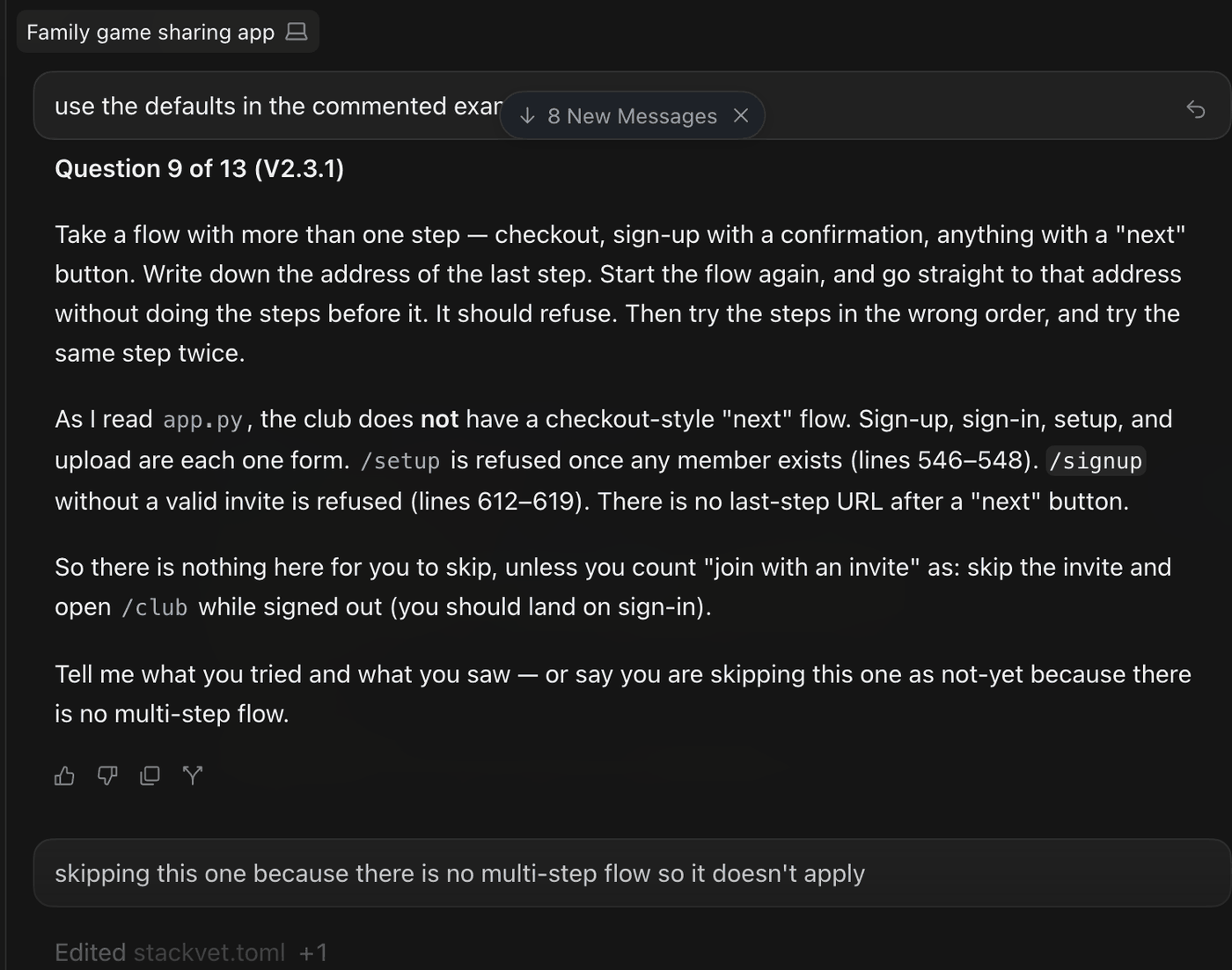
"It doesn't apply" is an answer too.
One question is about flows with several steps, and this app has none. The AI tool explains why, and the person skips it.
Step 9 of 17
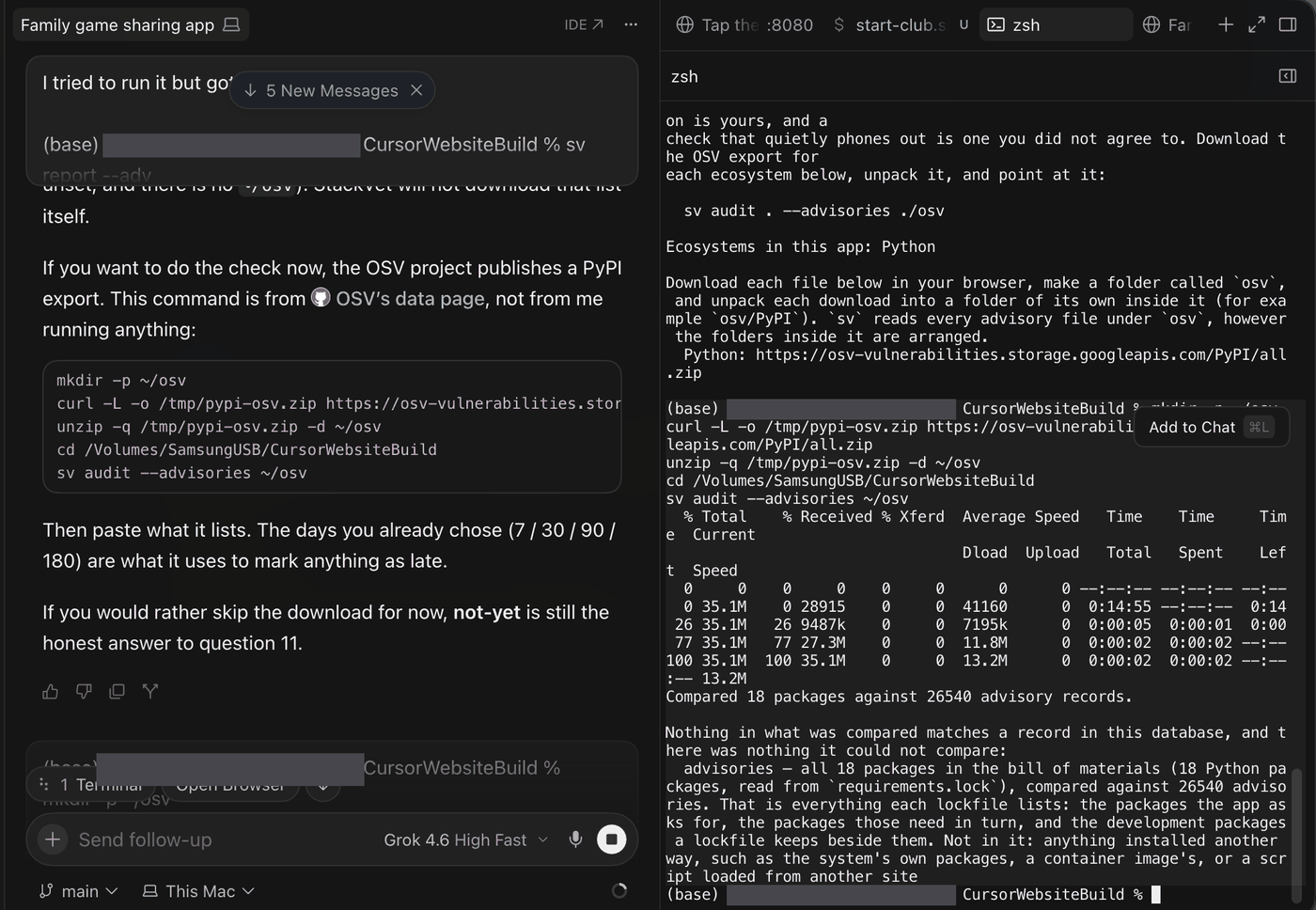
Known vulnerabilities, checked on your computer.
StackVet compares every package the app uses with a list of known vulnerabilities the person downloads. It found none of the app's 18 packages on it.
Step 10 of 17
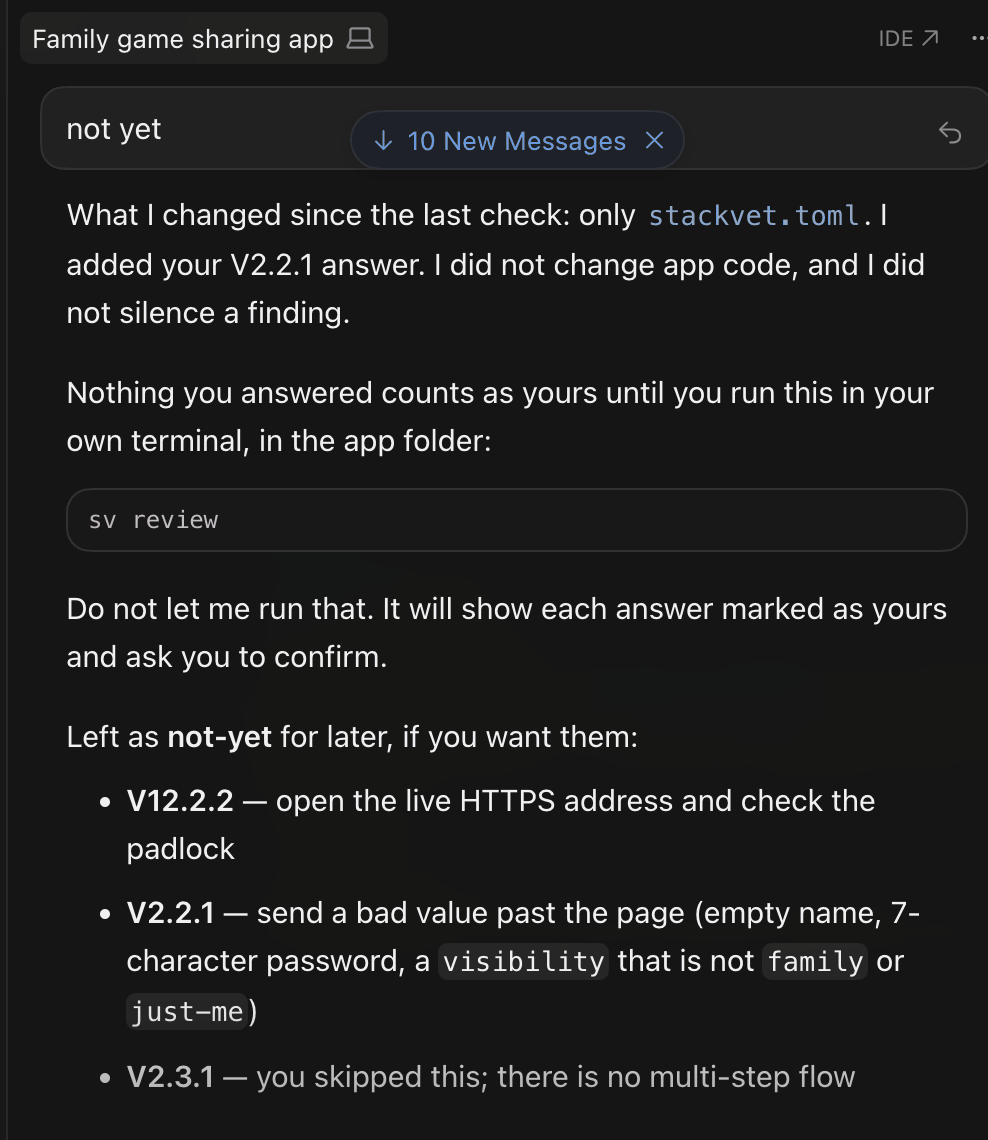
What the AI tool wrote counts only once you say it is yours.
The AI tool says what it changed since the last check, that it silenced nothing, and that the person's answers count as theirs only once they run sv review themselves, which the AI tool must not run.
Step 11 of 17
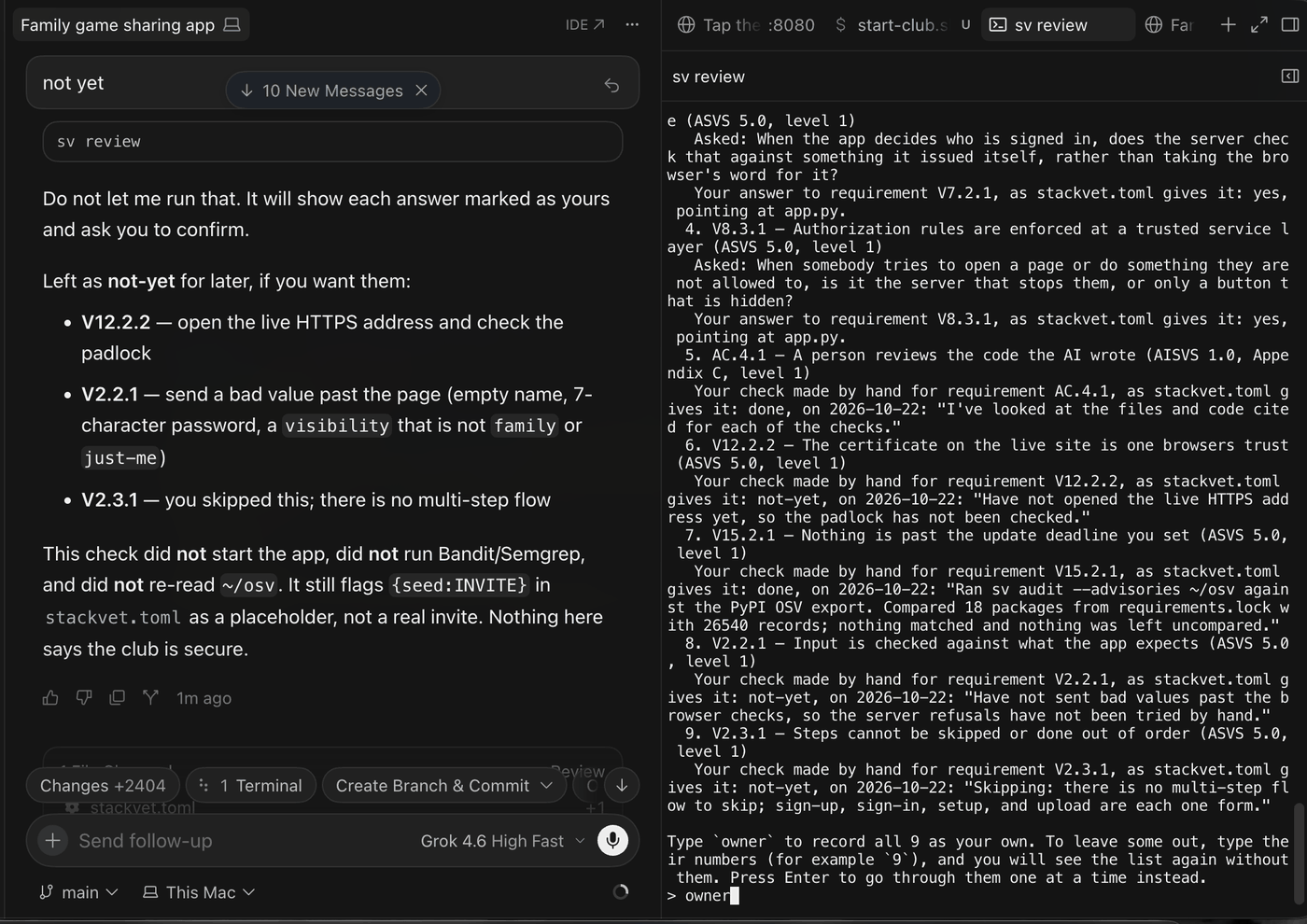
In your own terminal, you confirm what is yours.
sv review lists each answer as the file gives it, and the person types owner to record them as their own.
Step 12 of 17
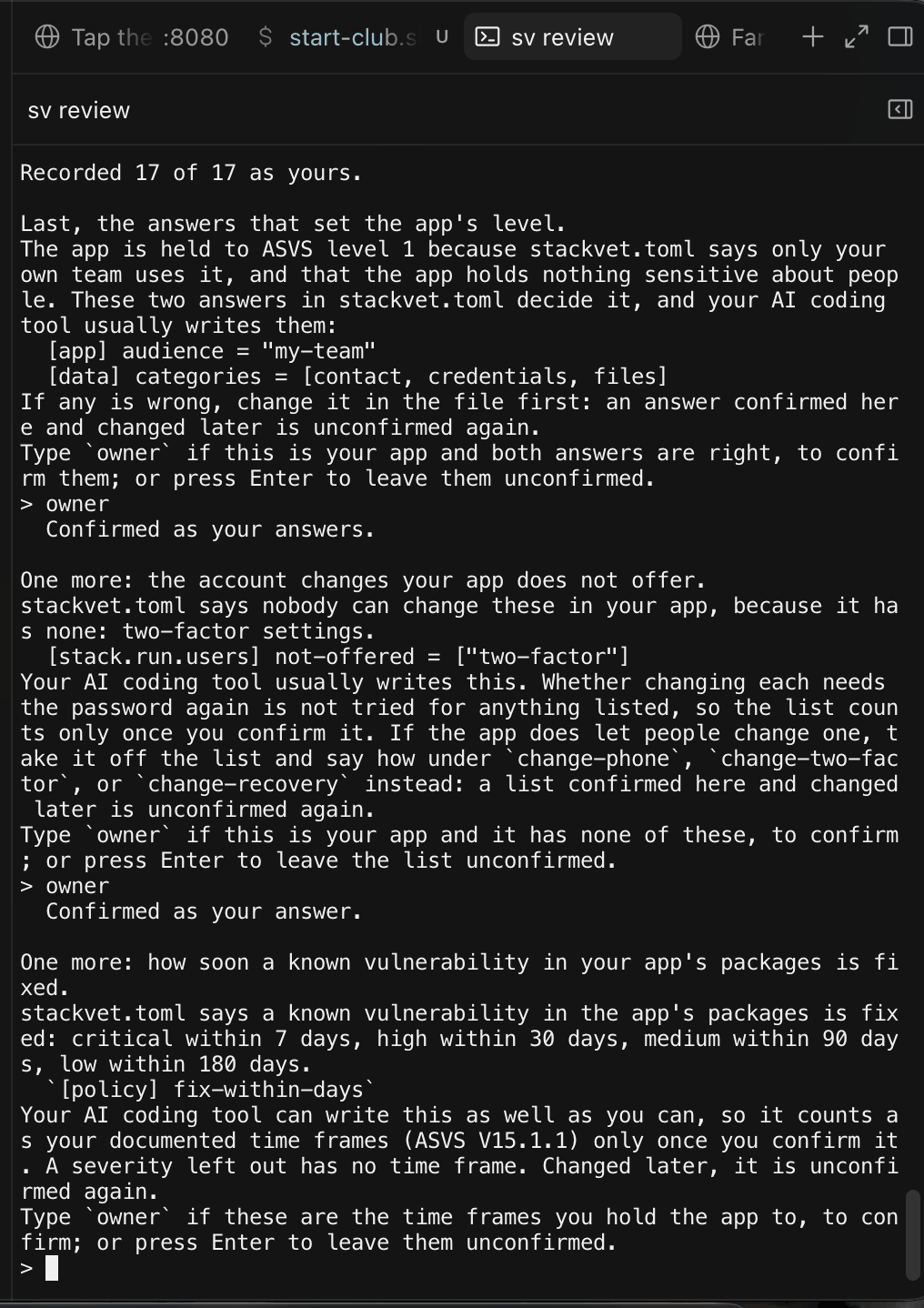
It shows why the app is held to its level.
The review shows the answers that set how strict the checks are, and the person confirms them.
Step 13 of 17
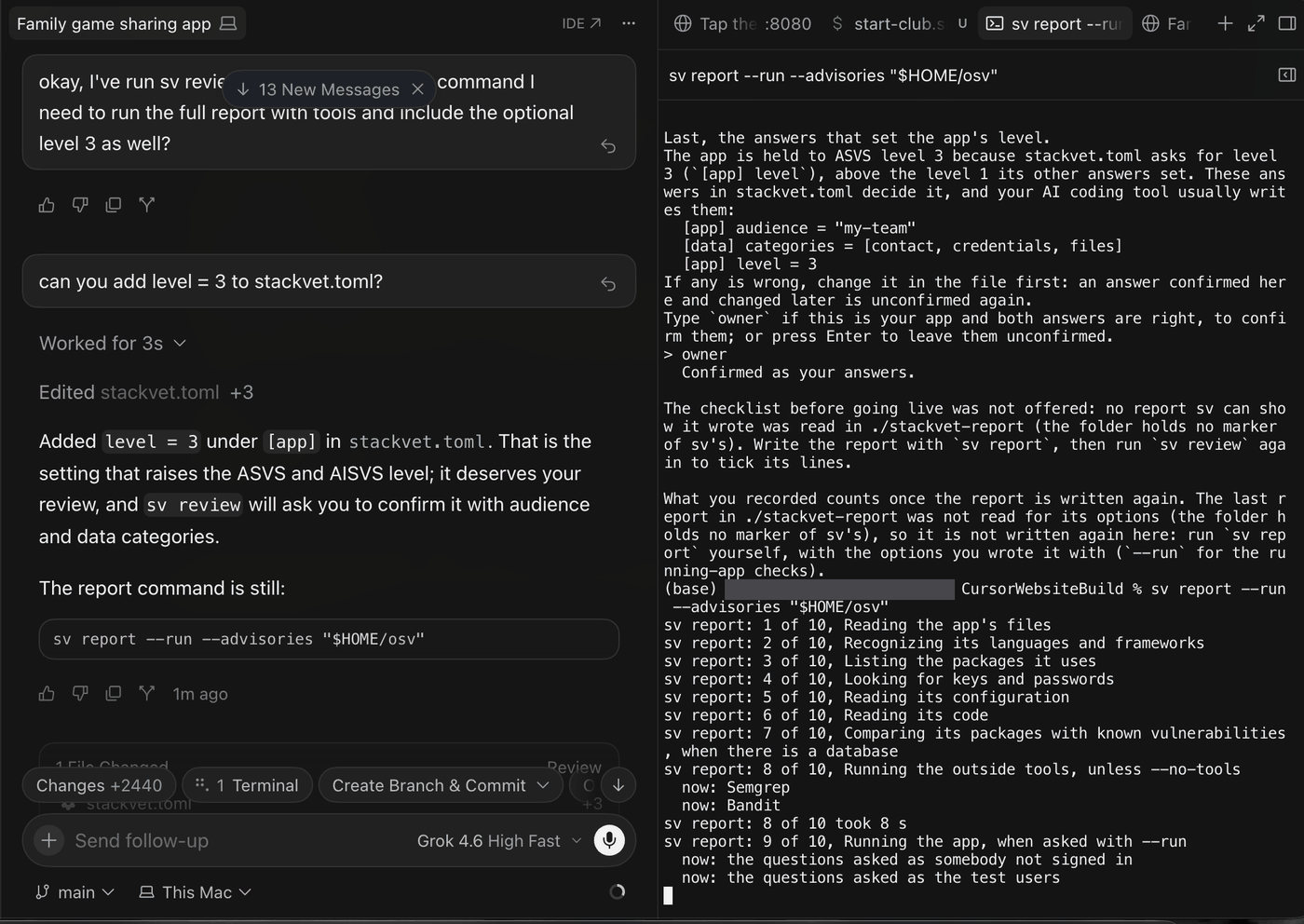
The full report starts the app behind StackVet's fence.
The person asks for the strictest level, level 3, and runs the full report, which starts the app with no internet connection and asks it questions as a stranger and as test users.
Step 14 of 17
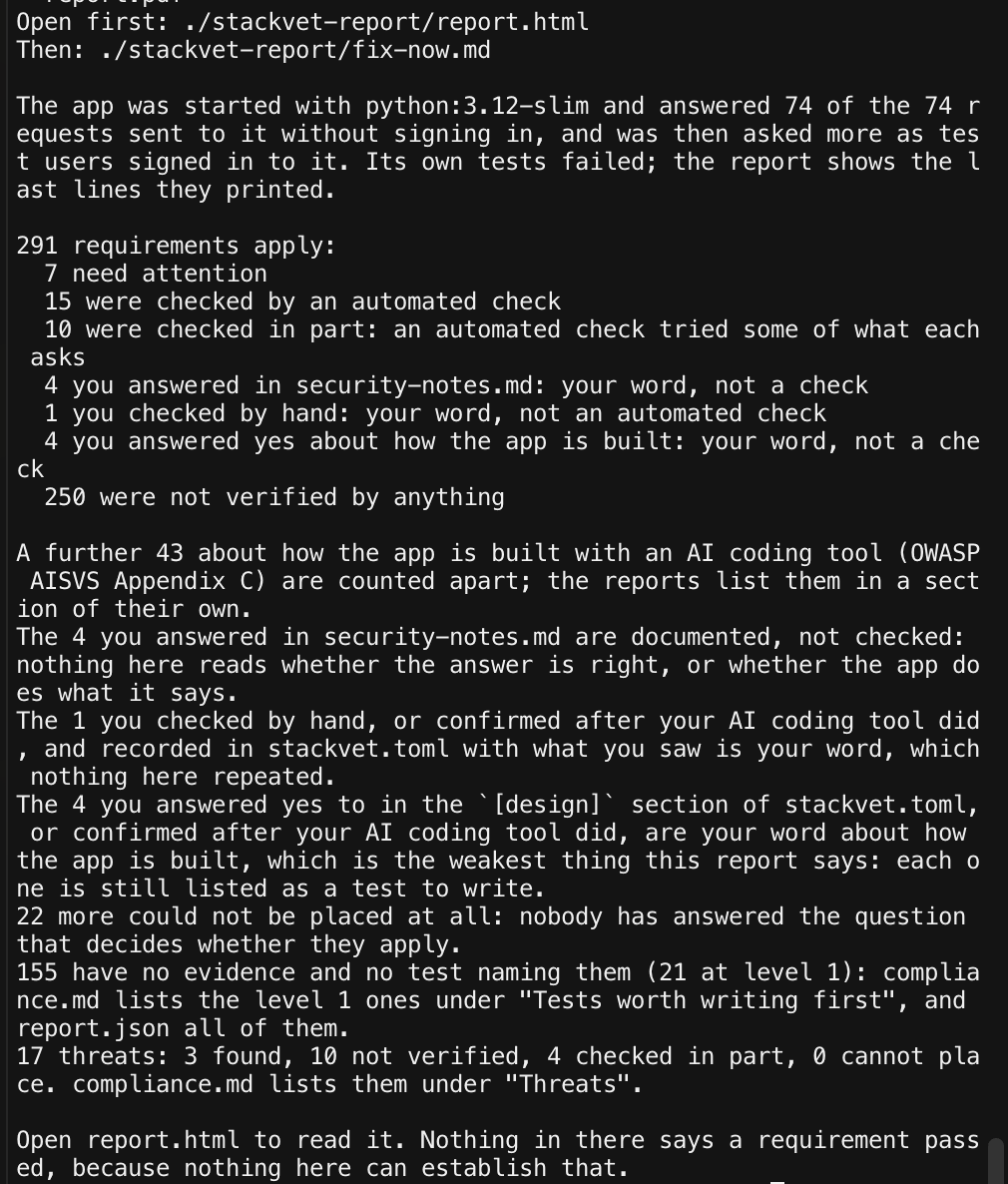
What applies, and what is known about each.
291 requirements apply. Seven need attention, some were checked, some were answered by the person, and most were not looked at by anything. The report says so, and never says the app passed.
Step 15 of 17
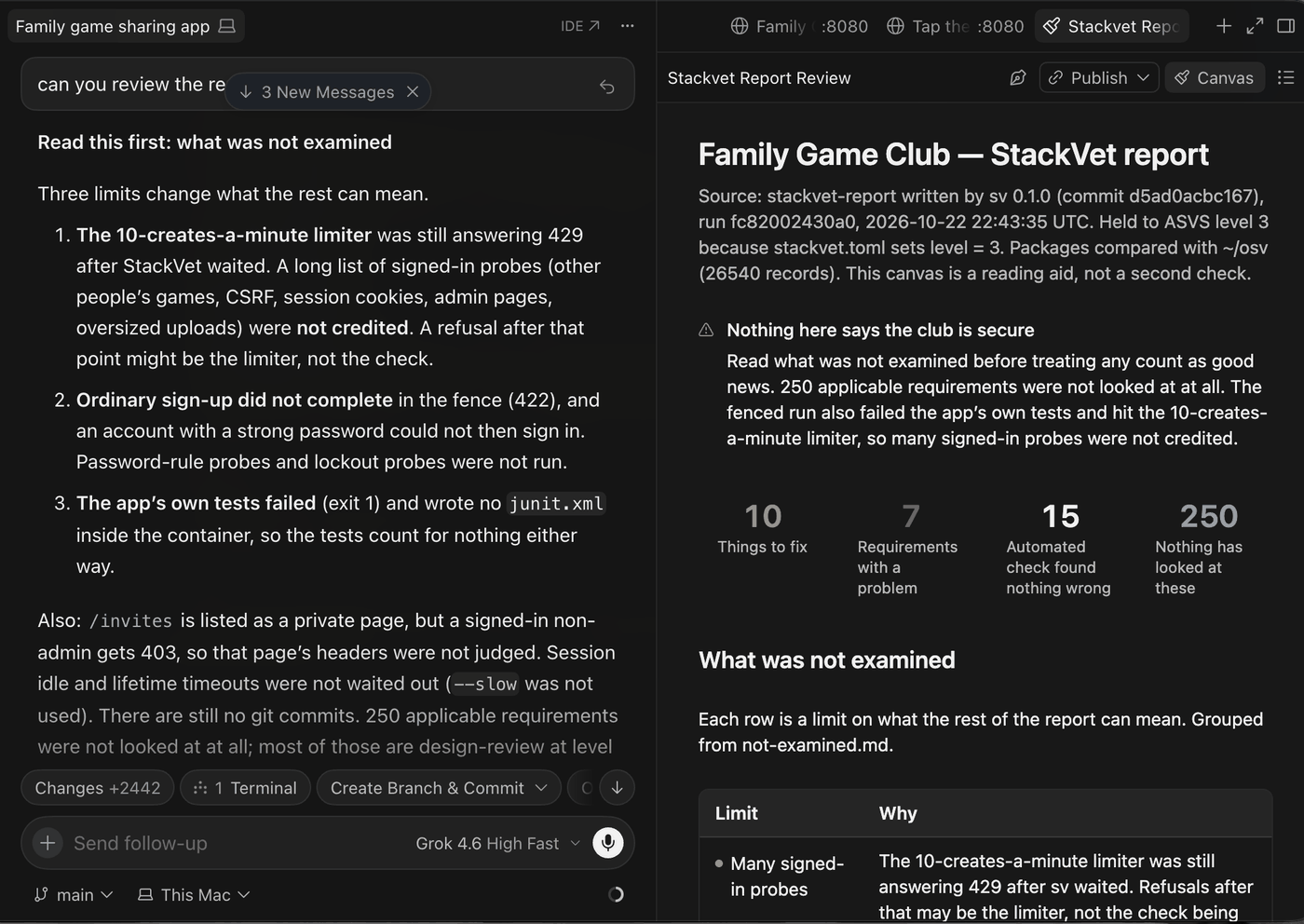
It starts with what was not examined.
The AI tool reads the report with the person, starting with what StackVet could not examine, since that limits what the rest can mean. Nothing in it says the club is secure.
Step 16 of 17
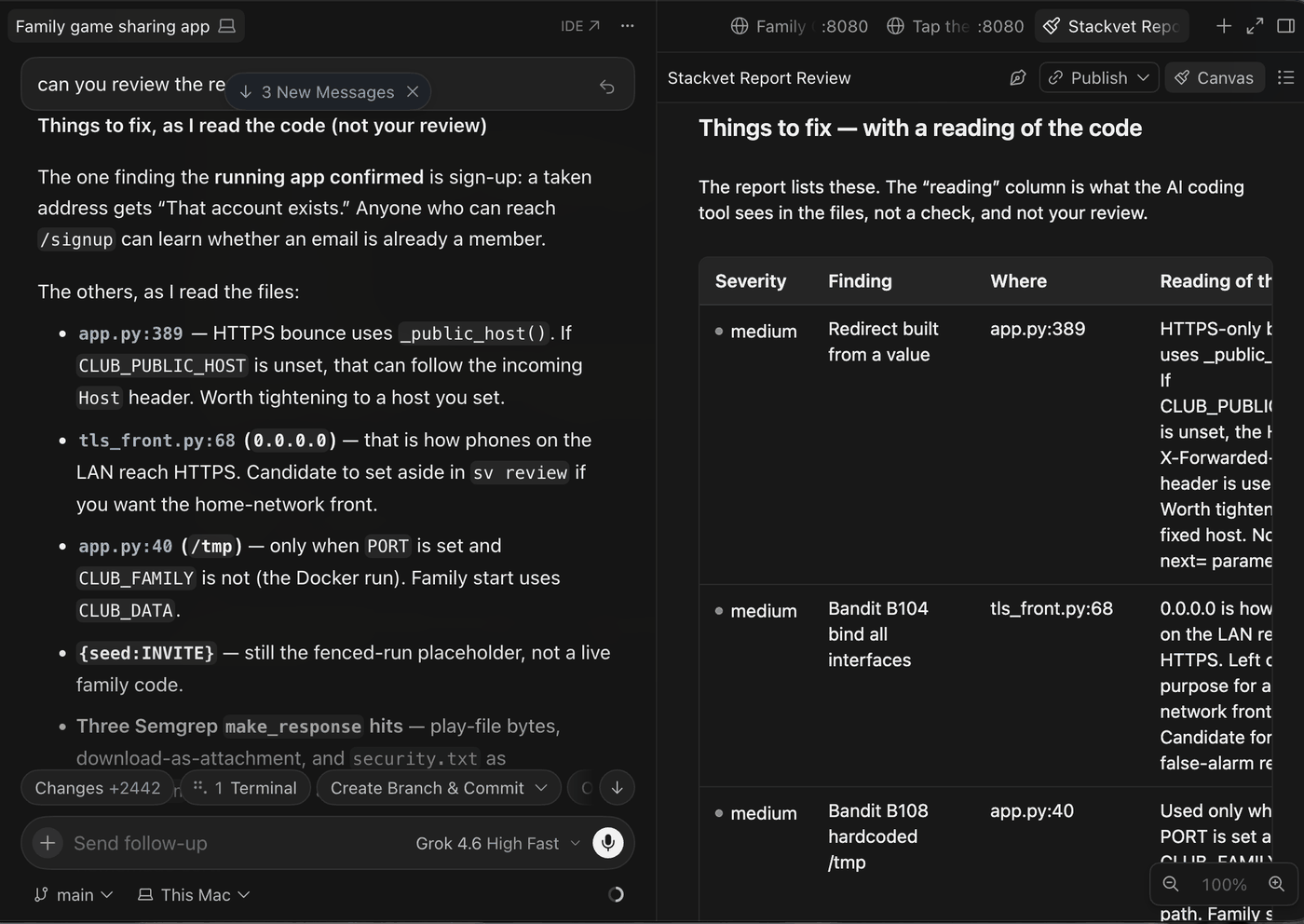
Each finding, with the AI tool's reading of the code beside it.
Each thing to fix, with where it is and what the AI tool reads in the code. The one the running app confirmed: sign-up tells anyone whether an email address already has an account.
Step 17 of 17
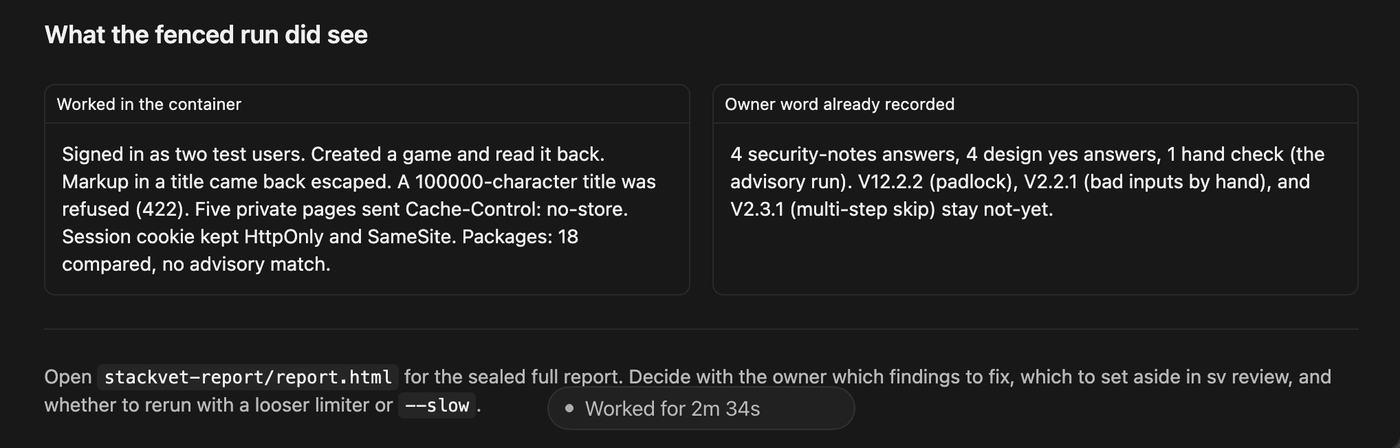
And what it did see.
What worked when the app ran behind the fence, and the answers that are still the person's to give. From here the person decides what to fix, what to set aside, and what to run again.